BETA 1.0.46 · a work in progress: tell me what you see on your FM-1
https://guizmoh.github.io/K-WASUB_Firmware_for_FM1/
Turn your FM-1 into a modern bass synth
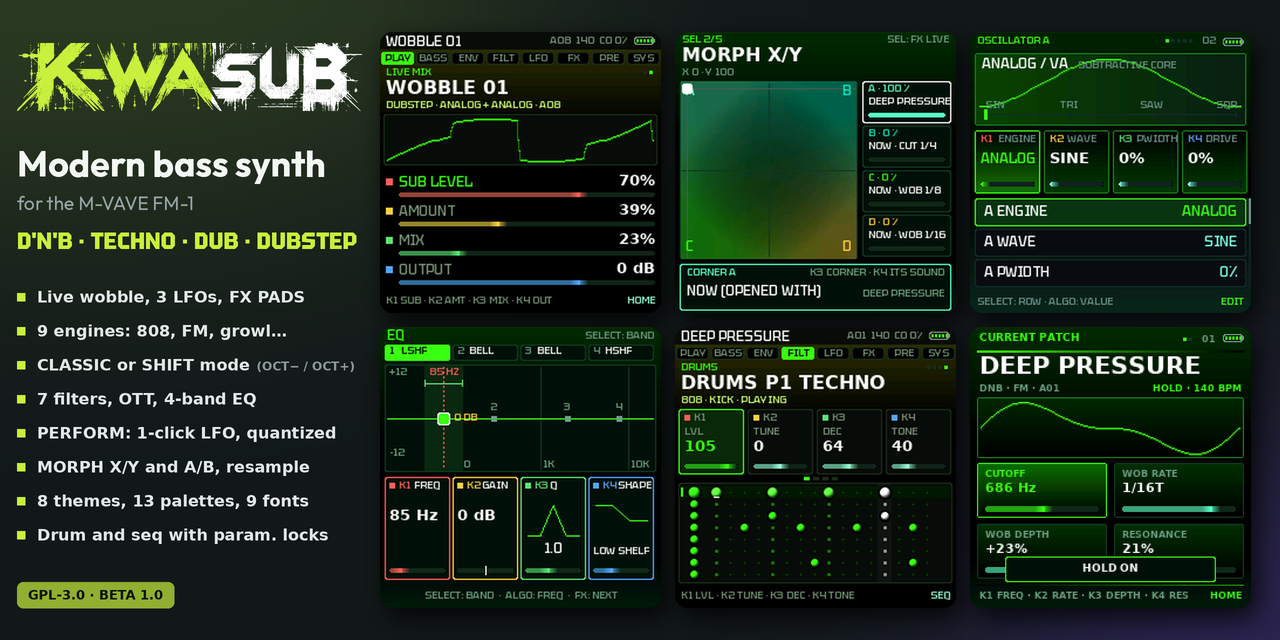
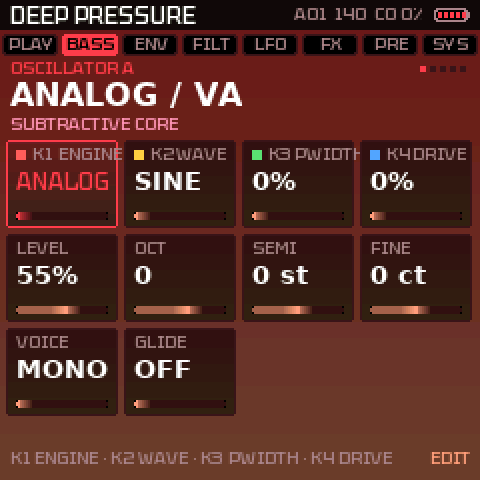
K-WASUB is a free firmware for the M-VAVE FM-1. It is made to build and play DnB, dub, dubstep and techno basses: growling reeses, deep subs, 808s, and above all a wobble you shape live with the knobs and the keys.
What is it for?
Play a living bass
The 27 keys play the bass, K1–K4 set the four settings that matter on each page. Hold LFO and turn a knob: LFO 2 is wired to whatever that knob sets (with OCT−: LFO 1, with OCT+: LFO 3, the global one). Three LFOs, almost every setting a destination, the EQ included.
Effects on the keys
FX PADS: white keys set the wobble speed (4, 8, 16, 24, 32, 48), black keys play stutters, tape stop, DJ filter, saturation, phaser…
A real bass sound
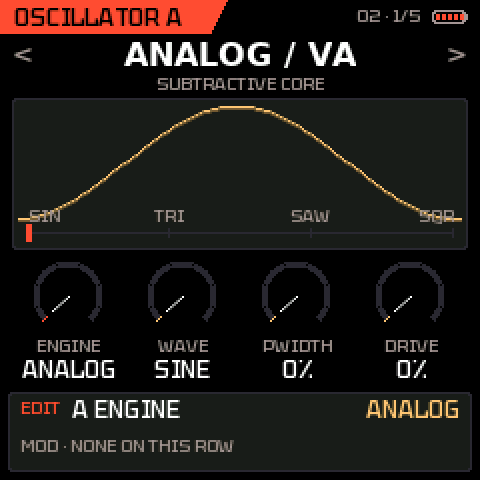
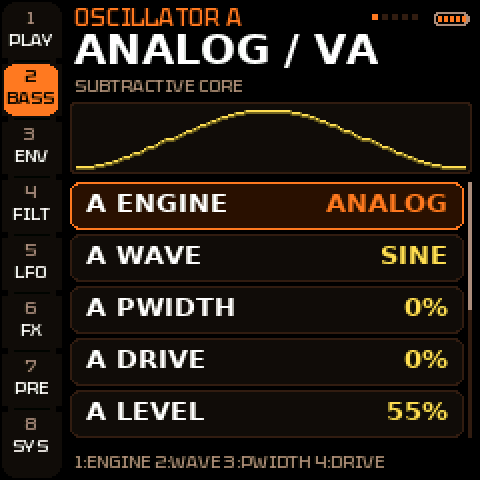
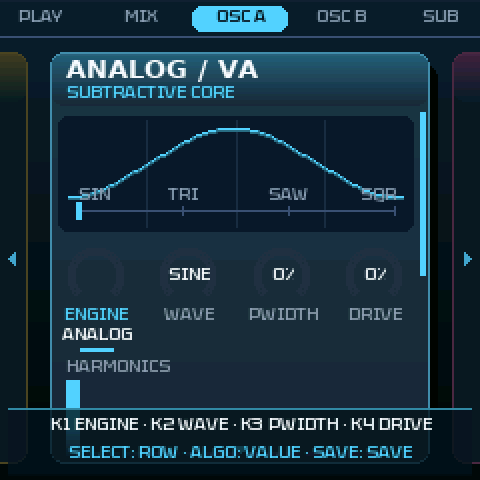
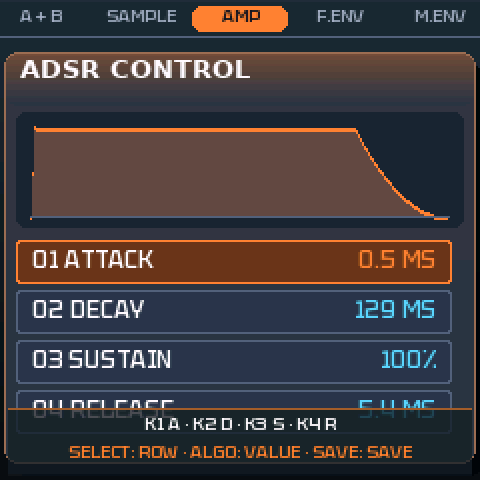
2 oscillators with 9 engines (ANALOG, 808, CS, wavetable, 4-operator FM with 8 algorithms, GROWL (FM into vowel formants), ADDITIVE (16 partials, drawbars), phase dist, hard sync), each with a FOLD (CS: a RING) after it, a sub locked on A, a sample layer and resample, 7 filters, multiband OTT, mono bass, compressor with pump, 4-band EQ, limiter and automatic level.
Morph between sounds
MORPH X/Y: four sounds in the corners of a square, a dot that blends them (an LFO can walk it). MORPH A/B: a fade on the beat.
Sequencers with parameter locks
SEQ BASS and a DRUMS sequencer (808, 909, dub techno, acoustic): up to 64 steps, chance and trig conditions on every step, and parameter locks: hold a step and turn a knob to give that step its own tune, decay, tone, level, ratchet (2–4 hits) or dub echo; on the bass, its own cutoff, resonance, filter envelope, drive, wobble rate, shape or sample start. Automation: hold REC while it plays and turn any knob, it is recorded step by step; hold REC alone to erase it.
In sync
MIDI clock in and out, and a sync out for Pocket Operators and Volcas (a pulse every eighth on the left output). Live REC of the bass and the drums, OCT− / OCT+ to turn the pages of 16 steps.
Simple or fast
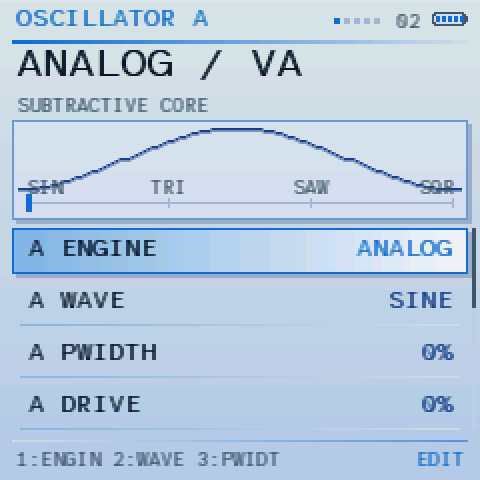
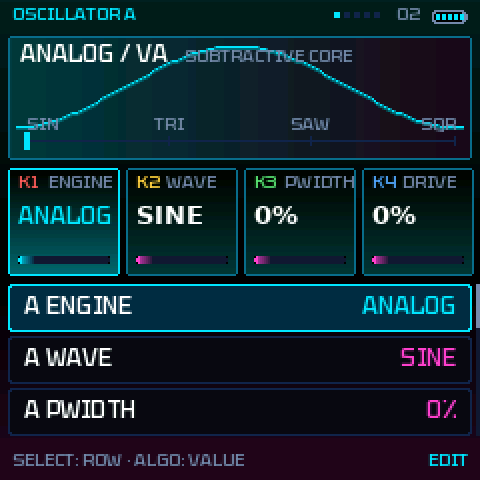
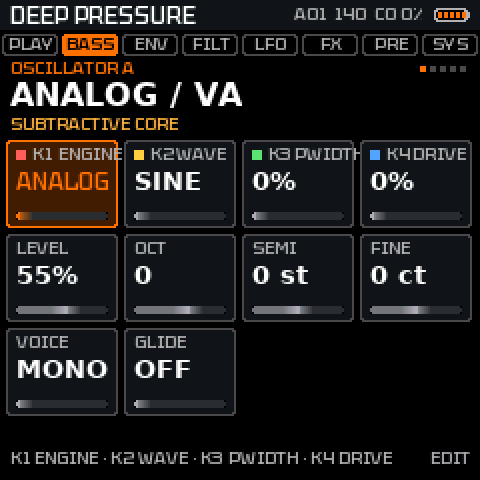
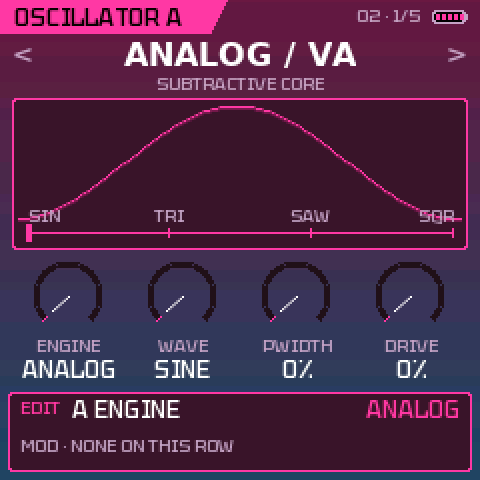
CLASSIC mode (lists) or SHIFT mode (3 columns, OCT− and OCT+ as Shift keys). 8 themes (CLASSIC GLOW, TECH and RIBBON with gradients), 13 palettes + their RAD gradient versions, 4 brightness levels.
Safe and open
Free, open source (GPL-3.0), can be reinstalled or removed over USB, with a rescue mode. If the FM-1 stops, the screen tells you why.
Install on the FM-1
1Plug in
The FM-1 over USB to the computer, with a data cable (not a charge-only one). Close any other MIDI software.
2Open the installer
In Chrome or Edge: installer.html. Click “Install K-WASUB” and confirm. Unplug nothing until it is done.
3Play
After the restart, the start screen shows. Press any button. The manual covers the first 3 minutes.
Without Chrome or Edge: INSTALL-Windows.bat, INSTALL-Mac.command or INSTALL-Linux.sh (Python 3). You can go back to KAWA or to the stock firmware at any time; holding OCT− at power-on opens the USB rescue mode.
A quick look
Latest updates
- 1.0.46
- MIDI page: two new read-only rows, LAST NOTE / CC (the last channel message in, in hex: B0 4D 7F = CC 77 at 127) and LAST START / STOP (FA, FB, FC), to see what a sequencer sends, for instance when it stops
- 1.0.46
- ARP button: it opens the ARPEGGIATOR first; pressing it again goes through the presets (BANK A, BANK B) and back to the ARPEGGIATOR
- 1.0.46
- SEQ BASS recording: a note recorded on a step now plays at the pitch you played it (it came back an octave lower at the default octave: the octave was left out of the recording); the note shown on the step is the one heard
- patterns recorded before keep their notes
- 1.0.46
- Presets checked one by one (4 notes each, level, evenness, clipping): ACID FM ZAP (cutoff 30 → 48: the high notes were nearly silent), DUB STAB and DUBTECH PULSE (cutoff raised), VOWEL WOBBLE and REESE DRAWBAR (too loud, volume down), CLEAN PICK (too quiet, up), HOLLOW GROWL; GROWL has a little more of the note itself under the vowels, so its low notes carry
Older versions (92)
- 1.0.46ACID SQUELCH audible: CUTOFF up to 765 Hz (it was 76 Hz, the sub-bass notes were filtered away), a soft attack on its envelopes · Softer attack click on every sound: the amplitude envelope's shortest attack is ~2.2 ms (was ~0.5 ms), the filter envelope's ~1.1 ms
- 1.0.46Crackles when notes overlap (MONO and POLY): a new note over a held one made the SUB LOCK jump the sub's phase (a click on almost every sound with the sub on, up to half the level); now only a note starting from silence takes A's phase · resonant filter at the very top of the cutoff could ring at fs/2 (a 22 kHz crackle on acid sounds): its top is limited when RESONANCE is high · the amp envelope's attack is never faster than 1.5 ms (a hard attack could tick)
- 1.0.46Start screen: BETA on the left, the version number on the right, both a little darker
- 1.0.46BETA: K-WASUB is marked as a beta again, everywhere: the start screen (BETA on the left, V1.0.46 on the right), SYSTEM › FIRMWARE, the home page (badge and FAQ), the manual, the README in three languages, the specifications and the picture · LFO pages: LFO 1 / LFO 2 in the big title
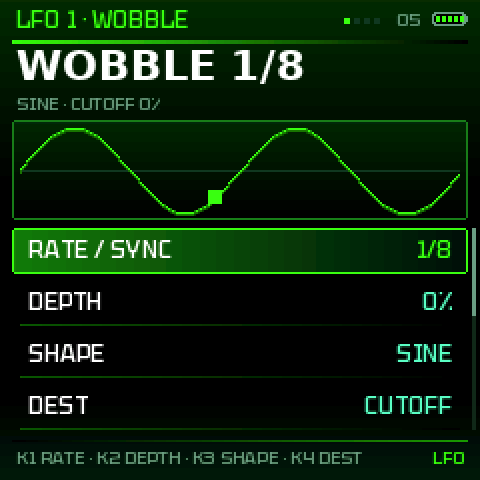
- 1.0.46LFO pages: the big title now says LFO 1 or LFO 2 (with the rate), WOBBLE and MOTION stay in the small header
- 1.0.37FX page: SATURATION, then REVERB, then DELAY come first (then MULTIBAND, COMPRESSOR, EQ, CHORUS, PHASER, CRUSH, MASTER); in each effect the first row (K1) is its ON / OFF
- 1.0.36PANIC: OCT− + OCT+ works any time, playing too, in CLASSIC as in SHIFT (it only did in SHIFT, and REC held only when stopped); it also empties the delay, reverb and dub echo · Delays that rang on for ever: TAPE, DIGITAL and DUB with a high FEEDBACK (or one pushed by an LFO, a macro, MORPH) fed themselves and kept playing behind every sound; the loop now always fades · loading a sound empties the last one's echoes and reverb, and a delay switched back on starts empty
- 1.0.35CUTOFF glides: turned while it plays, the filter moves smoothly (~15 ms) instead of in steps; the envelopes and LFOs stay as sharp as before; the FX LIVE DJ filter glides too · Freeze fixed: PRESETS with FAVORITES and a TAG that no favourite has froze the FM-1 (it searched for ever); now it says NO SOUND: FAVORITES + TAG · tested with ~450,000 random presses, turns, keys and MIDI messages under memory checkers: nothing else found
- 1.0.34Crash fixed: EDIT, choosing ADDITIVE (the engine after GROWL) crashed the FM-1 every time (its 4th setting's short name was read past the end of a table); three more memory slips found and fixed with the same tools (the MIDI page's subtitle one character too long, the destination list reading LFO 3's from the patch, a RIBBON window sliding past the screen's edge) · the crash screen stays 30 s (was 8 s), each number labelled VEC / PC / RET
- 1.0.33Crackles with drums and bass: GROWL and ADDITIVE about twice lighter (GROWL's formants in 32-bit, ADDITIVE 16 partials); the load governor now thins the sound at the first late block (and waits 10 s before giving it back); a block cut short fades out instead of clicking
- 1.0.32DRUMS: the kick much louder in every kit; KICK DRIVE (OFF, 1..7), SNARE SNAPPY (OFF, 1..7), DUB ECHO ON / OFF; ACOUSTIC's snare, hats and cymbal drier · Library patterns follow the length: one entry per pattern, 32 steps the riff and its fill, 64 twice as long, 16 the riff alone; change LENGTH and the preset follows; new patterns start at 32 steps · 96 factory sounds: 16 more on the newer engines (VOWEL WOBBLE, HOLLOW GROWL, SUB GROWL DNB, METAL YOY, TALKBOX BASS, REESE DRAWBAR, HOLLOW ORGAN, FLUTE SUB, CHURCH BASS, PERC ORGAN, FM KNOCK, FM ORGAN BASS, NEURO STACK, 808 GROWL, 808 FOLDED, CS VOX)
- 1.0.3180 factory sounds: 16 more, one per kind of modern bass: ROLL GROWL, TECH ROLL FM, CS ROLLER (rolling), CLEAN PICK, GLASS BASS, DX BASS (clean), BOUNCE SQUARE, BOUNCY FM (bouncy), DEEP SUB 30, SUB DRAWBAR (deep sub), SNARL GROWL, TALK GROWL, SCREECH RIP, FM STACK, GOSPEL ORGAN, 808 SLIDE; your favourites and MORPH sounds follow · SEQ BASS library: DNB ROLLER, BOUNCE, OFF BOUNCE, SUB PULSE · GROWL holds its level when BITE narrows the formants; TEAROUT re-voiced · the additive engine's title: ADD DRAWBAR
- 1.0.30TECHNO ROLL in the SEQ BASS library (after TECHNO OFF): the kick's step left free, three 16ths after it, the off-beat pushed, an octave at the end of the bar; in 16, 32 and 64 steps · TECHNO ROLLER, a new sound (CS engine: a saw, a little detune, a LP24 that snaps shut, drive, a touch of room), made for it; it takes FM 808's place, the 808 engine does that better now
- 1.0.29GROWL, a new engine for neuro and dubstep: an FM pair driven into three vowel formants; GROWL the FM, VOWEL glides U O A E I (an LFO on it: the yoy), BITE the resonance and the drive; TYPE: CLASSIC, HOLLOW, SUB GROWL, SNARL, METAL, TALK, SCREECH, RIP; the screen draws the formants · ADDITIVE, a new engine: 24 partials like drawbars, from the 16' sub up; TILT, HARMONICS, ODD/EVEN; REGISTER: SAW, JAZZ 888, SUB 880, FULL, GOSPEL, HOLLOW, FLUTE, CHURCH; the screen shows the bars · NEURO GROWL and TEAROUT now on GROWL, HOUSE ORGAN on ADDITIVE · 13 KB of flash back: identical font sizes stored once
- 1.0.28FM, 4 operators like the FM-1's own: the 4th row is now ALGO, 8 ways to wire them (2>1 the classic pair, 4>3>2>1, 34>2>1, 3>2>1<4, 4>3>1<2, 2>1 4>3, 4>123, 1+2+3+4 drawbars), one per click, drawn on the screen; RATIO sets operators 2, 3 and 4; FEEDBACK on the top one · The EQ belongs to the song: NEW SONG puts it back flat · SAVE K4: left NEW PRESET, right NEW SONG
- 1.0.27New engine 808 / KICK: a sine falling from PUNCH (up to 4 octaves above) to the note over DROP (5 to 300 ms), DRIVE (a soft clip up to 8 times), and a 4th row CLICK (a 3 ms bite); the drop starts again at every attack, the sine from zero (the same punch each time) · 808 DROP, TRAP 808, 808 BOOMER and 808 DIST now play it (instead of ANALOG and the mod envelope on the pitch)
- 1.0.266 engines on both oscillators, no more ESSENTIAL / ALL: ANALOG, CS, WAVETABLE, FM, PHASE DIST and HARD SYNC; WAVEFOLDER and VOCAL are gone (a sound saved with WAVEFOLDER plays ANALOG with its FOLD up, VOCAL plays FM) · each oscillator has a 4th setting, FOLD: the wave folded back past full level, 1 to 6 times, after any engine (on CS: RING, channel I times channel II); an LFO can move it (A FOLD, B FOLD)
- 1.0.25OSC C · SAMPLE: the waveform a little lower, three rows under it, and the row chosen always shown lit (a short list of rows could hide it)
- 1.0.24New engine CS, in the place of SUPER / REESE (one of the 4 ESSENTIAL): a CS-80 voice's two channels, after twochannels' CS-1. WAVE: saw, both, pulse (narrowing at the top); DETUNE: channel II apart, up to 35 cents (the beating); MOTION: each channel's own PWM, then the voice cards' drift and a breath of noise · the 8 presets that used SUPER now play CS · 4 new presets: CS BRASS BASS, CS SQUELCH, CS XMAS BASS, CS DRIFT PAD (your user slots' favourites and MORPH sounds follow the new numbering)
- 1.0.23KNOB ACCEL is FAST by default (new installs, and once on a machine that updates; change it in SYSTEM)
- 1.0.22WAVETABLE: the TABLE setting changes one table per click (BASIC, HARMONIC, GROWL, VOCAL, FM, PWM, DIGITAL, SYNC) instead of one every 16 clicks
- 1.0.21The FM-1 now reports the identity FM-1_1990 (it was FM-1_980), for every 1.x version from now on; nothing else changes
- 1.0.20The very first start's look question: the four looks as four little pictures on one page, 2 x 2, each in its own colours (CLASSIC, STUDIO, PURE, RIBBON CLASSIC); OCT− / OCT+ or a knob moves the frame, SEL takes it
- 1.0.19TECH: the pages with four settings (HOME, ENV, FX…) get a smaller picture and the four as big 2 x 2 tiles · new theme CLASSIC: CLASSIC GLOW's layout and colours, without the gradients · the very first start asks for a look: CLASSIC, STUDIO, PURE or RIBBON CLASSIC (each one shown as you go through them)
- 1.0.18EQ: a narrow NOTCH (or any narrow band) no longer whistles or rumbles: the filter keeps what its rounding drops and feeds it back, and its coefficients are worked out exactly (the low notches were off: a sub rumble that clipped). Moving the notch is clean too
- 1.0.17LFO 3: a third LFO, global (it stays when you change sound), the LFO page's last view: RATE / DIVISION, DEPTH, SHAPE, DEST, SYNC. Hold LFO + OCT+ and turn a knob to send it there; it is a source in the matrix too · README, manual and promo picture: 3 LFOs
- 1.0.16LFO assign (LFO held + a knob) now works in the EQ window (each band's FREQ and GAIN, swept smoothly between the steps), in FX PADS and in MORPH · 37 new destinations for the LFOs, the matrix and the macros: the EQ, the three envelopes, GLIDE, DRIFT, KEY TRACK, FILTER VELOCITY, STEP depth, OSC C (level, tune, speed, start, end), the compressor (attack, release, pump), OTT (amount, low, high), phaser feedback, delay time · a knob that cannot be assigned says so
- 1.0.15NEW SONG: start a piece from zero in one gesture. On the SAVE screen, K4 to the left twice (to the right: NEW PRESET); or SYSTEM › NEW SONG, ALGO twice. The INIT sound, every drum and SEQ BASS pattern, the parameter locks and the automation are emptied; saved patches, macros, EQ and settings stay
- 1.0.14SAVE: one row per knob, its name written in a column in the middle (SLOT K1, PLACE K2, LETTER K3, STYLE ALGO, NEW PRESET K4); the slot's current name sits on the SLOT row
- 1.0.13SAVE: a 4th row, NEW PRESET: turn K4 twice and the patch becomes the INIT sound with an empty name, ready to be typed (SAVE held + OCT− brings the old sound back); the style moves to ALGO · Manual: which pages the PRESETS knob changes, and what HOLD (PLAY held) and PANIC (REC held, or OCT− + OCT+) do
- 1.0.12SEQ BASS: a SEQUENCE ON / OFF at the very top of the list; OFF, the bass sequence stays silent while the drums run, and the keys play the bass live (no transposing of the sequence, the arpeggiator works). It is saved with the drums
- 1.0.11DRUMS: the white keys of the FM-1 stay lit where the chosen instrument hits on the page shown (kick, snare, hats…), a landmark you can see on the keyboard; it follows the instrument you choose and OCT− / OCT+
- 1.0.10SAVE: the black keys of the drawn keyboard have no outline any more, so their letters read better
- 1.0.9SAVE: the letter keyboard is drawn on the screen, as the keys are laid out (black A to K on top, white L to Z and a space at the foot); the keys you press light up
- 1.0.8DRUMS: shaded spheres (no gleam) with a thick black outline, all in the theme's accent colour; the track chosen has a bigger sphere · Promo picture: the DRUMS tile is now the full-screen STUDIO GOLD view
- 1.0.7Naming a sound: on the SAVE screen the keys are a letter keyboard — black A B C · D E · F G H · I J · K, white L to Z then a space; each key writes its letter and moves on (K2 the place, K3 digits and signs)
- 1.0.6DRUMS: plain round dots with a black outline again, and their colours follow the palette: two neighbouring hues of its accent, alternating (green and yellow, violet and pink, red and orange…) · Promo picture: the DRUMS tile in RIBBON CLASSIC (labelled DRUMS · RIBBON GOLD)
- 1.0.5DRUMS in 3D: every step is a lit sphere (light from the top left, a shadowed rim, a gleam), a soft glow under the steps that play, bigger with a lighter shade on an accent; empty steps are small sockets; new colours (coral, mint, rose, gold, amber, azure, violet, ice) · Manual and promo pictures redone
- 1.0.4DRUMS, a modern look: every step is a round dot, an accent has a halo, an empty step a small dim dot (bigger on the beat), a hollow dot marks a chance or a condition, a white spark a parameter lock, a light column the step playing; the track chosen has a bigger dot and a tint · Manual and promo pictures redone
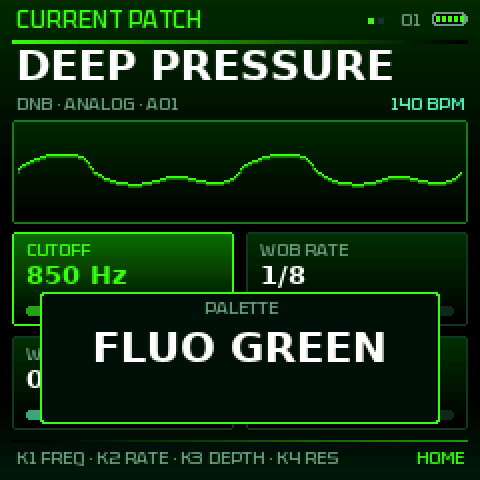
- 1.0.3New defaults, on the FM-1 and in the emulator: theme CLASSIC GLOW, palette FLUO GREEN, font TEKTUR, LOUPE on · An FM-1 or an emulator that already has settings gets them once at this update; SYSTEM changes any of them as before
- 1.0.2DRUMS: OCT− held + a black key 1–8 mutes that instrument (or brings it back) without choosing it; the muted tracks go grey
- 1.0.19 new presets: 808 BOOMER, 808 DIST, 808 KNOCK, ACID SQUELCH, ACID SQUARE, ACID FM ZAP, PURE SUB, WARM TRI SUB, FM SUB GROWL · Every factory sound now uses the four ESSENTIAL engines (ANALOG, CS, WAVE, FM): CONCRETE, YOI TALKER, NEURO GROWL, PHASE HORN, SYNC RIPPER, TEAROUT, NEURO STAB, MINIMAL CLICK and YOI RIDDIM rebuilt; their levels evened out · The update screen on the FM-1 shows text and a bar instead of the picture, which did not show during installs
- 1.0Version 1.0: K-WASUB is out of beta, with the drum sequencer (4 kits, conditions), parameter locks, automation, PO / Volca sync, OSC C samples and a bassline and rhythm library · The start screen shows V1.0 · Package identity FM-1_980 (the installer and the update work as before)
- 0.9.59Automation: while it plays, hold REC and turn the knobs you want (any sound setting, any page): recorded step by step on SEQ BASS, played back every round, the sound's own values back at STOP · Erase: hold REC again without touching anything, the steps it passes are cleared (ERASING AUTOMATION…, then AUTOMATION ERASED) · A violet line marks the automated steps; REC held while stopped is still PANIC
- 0.9.58The PRESETS knob now turns the views on EDIT, ENV, SEQ, LFO, FX and GLO (both ways, round), and goes from one SEL window to the next; on HOME and PRESETS it still changes the sound
- 0.9.57Parameter locks on the drums: hold a step (white key) and turn K1–K4 for its own LEVEL, TUNE, DECAY, TONE, ALGO for a RATCHET (2–4 hits), SELECT for its dub ECHO; a white corner marks it · Parameter locks on SEQ BASS: rows P-LOCK and LOCK VALUE (CUTOFF, RESO, FILT ENV, DRIVE, WOB RATE, A SHAPE, SAMPLE START), a cyan corner marks it · REC while it plays stays on in every view and records the knobs as locks · Backups from 0.9.53–0.9.56 still restore
- 0.9.56Sync out for Pocket Operators and Volcas (SYSTEM › MIDI › SYNC OUT): a pulse every eighth on the left, the sound in mono on the right · USB audio: a larger buffer, so recording the FM-1 into a computer no longer clicks when the sound is heavy · OUTFIT font and LOUPE by default · DRUMS, SEQ BASS and OSC C show their pattern or sample big in every theme; BLACK / WHITE draws the drums in shades of white · The manual has a SEQ BASS and DRUMS chapter
- 0.9.55OSC C: 12 new samples: attacks PICK, MALLET, CHIFF, HAMMER, ZAP, SLAP, CLICK, SCRATCH and textures SHIMMER, DARK PAD, BUBBLES, MACHINE · START / END (K3 / K4) cut the sample's beginning and end, shown on its picture · SPEED now also faster (up to 400 %, turn left), the pitch kept · DIR: FORWARD, REVERSE or PING-PONG · MIDI LEARN maps kept (moved to the new ids)
- 0.9.54DRUMS: two new kits (KIT): DUB TECHNO (deep soft kick, noisy hats, a minor chord stab on PERC, its own dark dub echo on snare, clap, toms, chord and open hat) and ACOUSTIC (beater kick, snare wires, toms with an overtone, conga, brighter hats, ride) · 4 new rhythm presets: DUB TECHNO, ROCK, FUNK, JAZZ RIDE (fills on the toms with ACOUSTIC) · Hats and cymbals of every kit much louder (they were barely audible)
- 0.9.53DRUMS (SEQ, 4th view): 808 / 909 kits, 8 coloured tracks; black keys = instrument, white keys = steps, OCT−/OCT+ = page; chance and conditions per step; 14 rhythm presets (techno, dub, dnb…) in 16 / 32 / 64 steps · SEQ BASS: a NOTE LEN per step (up to 64 steps or HOLD), 30 presets (continuous, drone…) in 16 / 32 / 64 steps · REC live while playing, bass and drums · Knobs on FAST / ULTRA: still single steps when turned slowly
- 0.9.52AUDIO CORES removed: K-WASUB now runs on one core only (the second core caused crashes for some); SYSTEM no longer offers the choice
- 0.9.51The update screen now shows the start-screen picture with a rounded loading bar in place of the patch name and "press any button"
- 0.9.50The start screen shows BETA 0.9 small, bottom right
- 0.9.49OSC C (SAMPLE): the level goes twice as loud, the sample is heard over the rest
- 0.9.48AUDIO CORES: two cores no longer fall back to one for good after a power off or when core 1 is too slow once; SYSTEM and the start screen say why core 1 is not running
- 0.9.47SEQ BASS: patterns of up to 64 steps (LENGTH 32, 64), a PROBABILITY (%) and a TRIG CONDITION on every step: 1/2, 2/2, 1/4…4/4, START, NOT START, IF BEFORE, IF AFTER
- 0.9.46LANGUAGE (SYSTEM, English by default): English, Français or Español translate the view titles at the top of every screen · a Spanish README (
es/README.md) - 0.9.45FX PADS: QUANTIZE on ALGO (OFF, 1 BAR, 1/2, 1/4, 1/8, 1/16, 1/24, 1/32, 1/64): a key waits for the next division, the wobble changes land on time · the knobs: K1 CUTOFF, K2 RESONANCE, K3 FILTER TYPE, K4 MORPH A/B
- 0.9.44A/B MIX as a destination (LFO, matrix, quick assign) · LFO held: LFO 2 on the knobs; with OCT− held too, in either order: LFO 1 (by default on the cutoff) · HOME held: A + B, the two oscillators together · REC held: PANIC
- 0.9.43EMBER lighter; EMBER and ICE NEON (RIBBON's own) now keep their lighter navy grounds (DEEP BLACK no longer turns them black)
- 0.9.42Palettes retouched: ICE NEON lighter · SYNTHWAVE a light pink from the bottom · FLUO a yellow glow at the top · PINK synthwave (fluo pink edges, darker pale pink inside, blue around) · SKY a blue-grey, navy second blue · RAD: ICE NEON (cyan into a pale dark blue-green), SYNTHWAVE (lighter top, darker bottom), BLACK / WHITE (dark top, lighter bottom), INVERTED (the gradient outside, plain light grey boxes, black text)
- 0.9.41KNOB ACCEL: OFF, ON, FAST and now ULTRA: a knob turned for more than a second goes faster and faster (up to 4 times FAST)
- 0.9.40RIBBON and RIBBON CLASSIC: a see-through band at the bottom says what the knobs do, then the buttons (4 s on each new view; always on PRESETS and SAVE: how to load, how to save)
- 0.9.39RIBBON CLASSIC: the window on the whole page, no arrows at the sides, no sliding · RACK: the left rail rounded, a notch between two pages
- 0.9.38SKY RAD turned over: an off-white touched with blue at the top, the blue at the bottom · RACK rounder: the page chosen and the rows
- 0.9.37Every session starts at octave −1
- 0.9.36MONO and HYPER fonts in capitals only (units read HZ, MS, DB with them) · 13 KB more room: about 99 KB free
- 0.9.35More room: the fonts and the start picture packed (75 KB freed), nothing changes on the screen
- 0.9.34New theme RIBBON: the views side by side, each a tall window full of pictures that scrolls down · RIBBON CLASSIC: the same look with the classic rows · 5 new fonts (OUTFIT, INSTRUMENT, TEKTUR, JETBRAINS, BIG SHOULDERS)
- 0.9.33The start screen stays locked until a button or key is pressed · AUTOSAVE (on): the sound being made is kept every minute and comes back at the next start
- 0.9.32Sleep: 2 minutes untouched, the screen goes dim until the next touch · turning FONT shows the fonts above and below, each in itself
- 0.9.31New palettes for every theme: SKY (light, office-like: square windows in relief with shadows, shades of blue, the readable HYPER font) and BLAZE (black, greys, fluo orange, white text) · LOUPE on by default · FLUO GREEN RAD (CLASSIC GLOW) and SYNTHWAVE RAD recoloured, with a yellow / yellow-to-red oscillator line
- 0.9.30Quick assign: hold LFO, then hold OCT− too: the knobs put LFO 1 on (LFO alone: LFO 2)
- 0.9.29EQ redone: one band at a time (SELECT), each knob one job written on screen (K1 FREQ, K2 GAIN, K3 Q, K4 SHAPE); the curve shows where the band acts, its width and its gain
- 0.9.28Data page complete: backup / restore of your sounds, WAV export of a RESAMPLE recording, and send a sample of yours (WAV, MP3…) to OSC C
- 0.9.27Data page: export as WAV the portion of sound recorded with RESAMPLE
- 0.9.26New Data page: backup your sound design (32 user slots, SEQ, ARP, macros, CC map, EQ, MORPH) to a .kwsub file and restore it later, over USB (Chrome / Edge)
- 0.9.25The CONTRAST setting is gone: the screen is always on MAX (DEEP BLACK), the only look that shows right on the FM-1
- 0.9.24Screen fix: BRIGHTNESS no longer sends commands to the panel (they ate the letters and hid the grey cards on the FM-1) · MAX shows the colours as drawn · the text always keeps a minimum gap from its background (grey and white palettes)
- 0.9.23CLASSIC GLOW replaces CLASSIC (5 themes) · default look STUDIO + RED · new RAD gradient palettes at the end of the list, for every theme · smaller battery icon · TECH: a much smaller picture, rows under the tiles
- 0.9.22No more K-WASUB title on the pages (room for the picture and the help) · battery icon (5 segments) top right, the percentage in SYSTEM · smaller page dots
- 0.9.21Only one firmware, everywhere (the B leftovers are gone) · voice mode and glide are the last rows of the oscillator list in every theme, STUDIO included
- 0.9.20New start screen: the K-WASUB picture · the voice mode (MONO / LEGATO / POLY) and the glide at the bottom of each oscillator view
- 0.9.19One firmware:
SYSTEM › ENGINESpicks ESSENTIAL (4 engines, the default) or ALL (8). The separate version B is gone. - 0.9.18Default look: STUDIO theme with the GOLD palette (new installs and resets) · INVERTED: black text · PALETTE now sits right under THEME in the options
- 0.9.17The CLASSIC or SHIFT question is back at the very first start (and once after updating): choose the classic lists or the SHIFT mode with OCT− / OCT+. Also: hold LFO + a knob assigns LFO 2 (or LFO 1, in the options); GLIDE under THEME in the options.
- 0.9.14Versions swapped: A is now the 4-engine version (efficient engines for modern basses), B the 8-engine one (deeper sound design: pads, synth and FX). Download links and names follow.
- 0.9.13New TECH theme: the picture (oscillator, envelope, filter…) fills almost the whole page, four tiles, gradients running in different directions (VOLT and CYBER palettes) · GLOW becomes CLASSIC GLOW · BRIGHTNESS ECO / NORMAL / BRIGHT / MAX
- 0.9.12GLOW theme: simple, gradients, fluo green (FLUO GREEN and TOXIC palettes) · new PINK and GOLD palettes for every theme
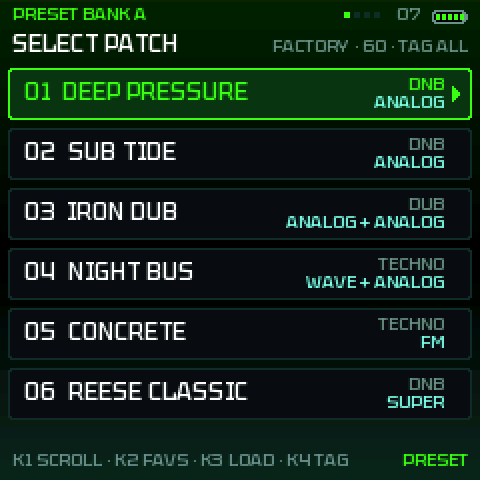
- 0.9.11PERFORM (4 named macros, morph, pads on one screen) · MULTIBAND / OTT · MONO BASS and SUB LOCK · RESAMPLE into OSC C · preset tags (sub, reese, growl…) · MORPH X/Y: the same sound in the 4 corners (as is, cutoff ¼ res ¾, wobble 1/8, wobble 1/16) · presets load without a question · each page opens on its first view · pages ordered by importance · K1–K4 hints everywhere · CLASSIC/SHIFT asked on the first start only · FLUO palette
- 0.9.10FX PADS · long presses everywhere (OCT− UNDO, OCT+ REDO, HOME PANIC, GLO CLASSIC/SHIFT) · EQ in the FX page · deeper bass, limiter, auto level · start screen with the FM-1 seen from the front · the software is called K-WASUB
- 0.9.9-9 → -7MORPH X/Y (with gradient) and A/B · CONTRAST HIGH/MAX · LAST STOP (why it stopped) · audio budget for the effects (stability)
Specifications: what is done, what is left, ideas → · Full history
Support K-WASUB
K-WASUB is free and will stay free. If it helps your sounds, you can chip in for the time and the test hardware (FM-1, cables…). Thank you!
The donation link is coming soon.
FAQ
Do I lose the stock firmware?
No. You can reinstall the stock firmware (M-UPGRADE) whenever you like.
No sound on the FM-1?
In SYSTEM, look at AUDIO CORES (try SINGLE) and the MASTER volume. If the FM-1 switched off, read LAST STOP at start-up and note what it says.
Which engines?
Nine, on both oscillators: ANALOG, 808 (a sine falling from PUNCH over DROP, DRIVE, CLICK), CS (a CS-80 voice's two channels), WAVETABLE, FM (4 operators, 8 algorithms), GROWL (FM into vowel formants: the yoy), ADDITIVE (16 partials, drawbar registers), PHASE DIST and HARD SYNC. Each has a 4th setting: FOLD (the wave folded back, west coast style), on CS RING, on 808 CLICK, on FM ALGO, on GROWL TYPE, on ADDITIVE REGISTER.
Is it finished?
No: K-WASUB is a BETA (version 1.0.46). It is tested in the emulator and by automatic tests at every release, but not on every FM-1 yet, so something may still misbehave. All feedback is welcome: please let me know about any bugs you find or features you would like to see. I am open to every suggestion. You can always reinstall the stock firmware (M-UPGRADE) or KAWA.